
Live 1-to-1 online Scratch classes · Ages 5–15
Learn Scratch Coding and Build Creative Coding Skills
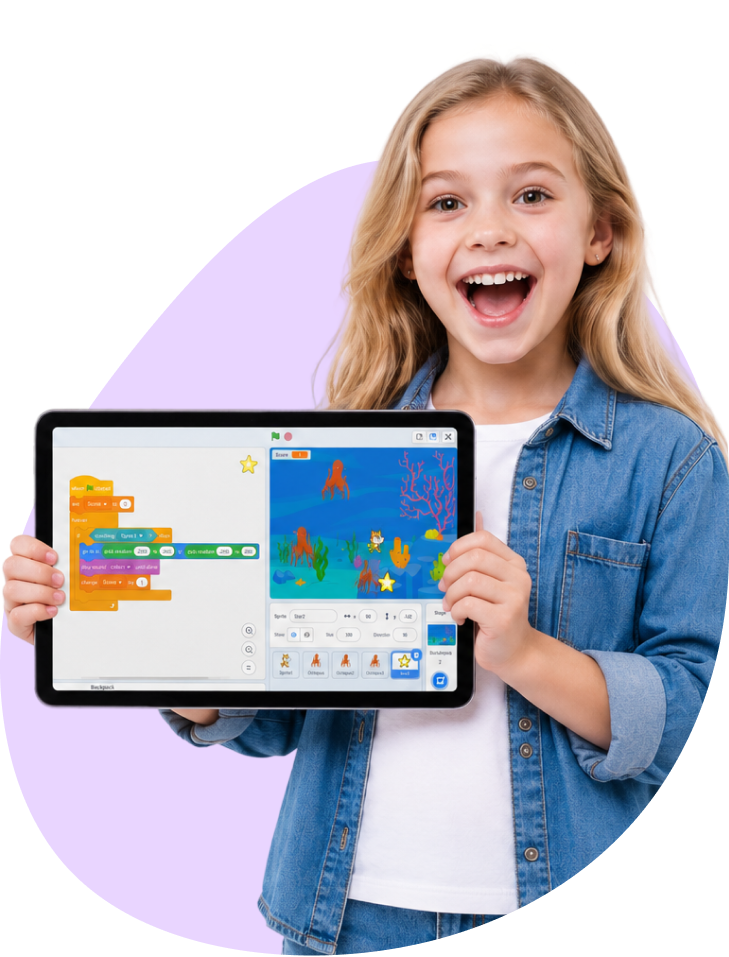
Your child builds their own games, animations and interactive stories with colourful code blocks — learning real programming logic, guided live by an expert tutor on Scratch, the platform made by MIT.
Live Classes
Expert Tutors
Made by MIT
Why Scratch Coding Is the Perfect Start to Programming
Personalized 1:1 Lessons
Every class is built around your child’s age, pace and interests.
Live Expert Guidance
A real tutor guides your child, not a screen they watch alone.
The World’s Top Kids’ Platform
Lessons run on Scratch, made by MIT and loved worldwide.
Learn by Creating
Your child builds real games, animations and stories.
A Perfect First Step
Visual blocks make coding easy and fun for beginners.
Real Coding Concepts
Loops, events and logic — the foundations of real programming.
What is Scratch Coding & Why Scratch Coding
What is Scratch coding?
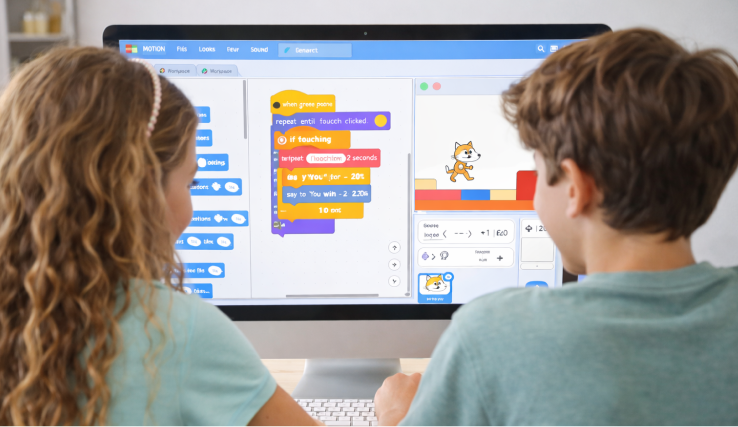
Scratch is the world’s most popular creative coding platform for children, made by the Massachusetts Institute of Technology (MIT). Instead of typing code, your child snaps together colourful blocks to build games, animations and interactive stories — learning real programming logic without the frustration of syntax.
We teach on Scratch, guided live and one-to-one by an expert tutor who explains, encourages and adapts in real time — so your child is never left alone with an app. Together, they create projects they’re genuinely proud of.
It’s the ideal first step into coding, and a strong foundation for text languages like Python later.
Why Scratch Coding
- Creativity First: Children bring their own ideas to life as games and stories.
- Creativity: Children turn their own ideas into games, apps and stories.
- Logical Thinking: Arranging blocks in order builds clear, structured thinking.
- Problem-Solving: Fixing what doesn’t work teaches patience and persistence.
- Real Confidence: Finishing a real project gives a genuine sense of achievement.
- No Typing Needed: Visual blocks remove the frustration of syntax for beginners.
- A Bridge to Real Code: Scratch builds the concepts behind languages like Python.
Course Features
Eligibility
For children aged about 5–15, perfect for young beginners, with room to grow into ambitious projects.
Duration
A step-by-step journey across four levels, from first animations to original games. 2 classes a week, 1 hour each.
Study Material
Guided projects and activities created on Scratch (scratch.mit.edu).
Live Classes
Interactive classes where a tutor guides your child through every project in real time.
Class Structure
True one-to-one teaching, focused on your child’s pace and interests.
Certification
A certificate at each level and on completing the programme.
Skills Your Child Will Build
Across the journey, your child will be able to:
Build games, animations and interactive stories.
Use loops, events and conditions confidently.
Plan and create their own original projects.
Work independently and share their creations.
Think logically and fix their own bugs.
Use variables, messages and simple data.
Syllabus
A structured, project-based journey from first animations to original games — your child creates something real at every step.
Each level takes approximately 12–16 classes at two classes a week. The exact pace depends on your child’s age, starting point and how quickly they like to go.
Level 1: Scratch Foundations (approx. 12–16 classes)
Get started with the Scratch editor and first creations.
- The Scratch editor — sprites, the stage and blocks
- Motion, looks and sound
- Sequencing and simple animations
- Build a name animation and a dancing sprite
Level 2: Games & Interactivity (approx. 12–16 classes)
Make real, playable games.
- Loops, events and conditions
- Variables and keeping score
- Keyboard and mouse controls
- Build a maze game, a catch-the-object game and a quiz
Level 3: Advanced Projects & Logic (approx. 12–16 classes)
Create bigger, smarter projects.
- Messages (broadcasting) and clones
- Lists and custom blocks (your own functions)
- Build a platformer, a space shooter and an interactive story
- Debugging and planning larger projects
Level 4: Creative Capstone & Next Steps (approx. 12–16 classes)
Design an original project and look ahead.
- Plan and build an original multi-scene game or animation
- Combine everything learned into one project
- Share a project safely on the Scratch community
- A first taste of text coding, bridging towards Python
Simple, Transparent Pricing
Fixed price per class, billed monthly. No hidden fees and no surprises
Billed every 15 classes
One-to-One Scratch Coding Classes
2 classes per week Billed every 15 classes
- One-to-one classes with an expert tutor
- Learning on Scratch (scratch.mit.edu)
- Real games, animations and stories
- Class times that suit your family
- Reschedule missed classes easily
- Regular progress updates
Ready to See a Scratch Class in Action?
Book a free, no-obligation demo. Meet your tutor, watch your child build something fun, and see the Mynsha difference for yourself.
No obligation
No card needed
What Mynsha Families Say
Families across Mynsha on our tutors, our teaching and the progress they’ve seen.
Blessed with Love, Powered by Trust
With every smile and every message, our journey becomes even more meaningful.
One of the best online coaching that we have experienced so far. We have witnessed immense improvement in Hindi language skills of our 8 yr old and we’re pleasantly surprised to see him read, write as well as chant a few mantras in Hindi/Sanskrit within a matter of couple of months. They seek continuous feedback, discuss the plan with parents and fine tune it as per kids’ needs. Thanks for such a good service and keep up the great work!! Kudos to you Ruchi, Gaurav and Amrita m’am! Thanks
It’s really helpful for my 5y old daughter for maths she is so much confident and doing her counting herself self up To hundreds wonderful and all plus and minus sums her self regular home work. Teachers r also very supportive and helping . Thanks 🙏
Mynsha learning resolved my problem by finding a reliable and effective tuition which helped my daughter in boosting her subject confidence. Timely follow ups and maintaining the quality of lesson delivery – both were was facilitated by Ruchi very well. Thank you Ruchi and Mynsha for your help. Will definitely recommend to all.
We had a wonderful experience with Mynsha Learning. My daughter enrolled in their Abakus classes and was taught by Navdeep, who was absolutely amazing. She made the classes engaging and enjoyable, and my daughter genuinely looked forward to attending every week. We have seen a clear improvement in her mental maths skills, and most importantly, her confidence with numbers has grown. Highly recommend Mynsha Learning.
Mynsha learning resolved my problem by finding a reliable and effective tuition which helped my daughter in boosting her subject confidence.
Timely follow ups and maintaining the quality of lesson delivery – both were was facilitated by Ruchi very well.
Thank you Ruchi and Mynsha for your help. Will definitely recommend to all.
We’ve had a great experience with Mynsha! The teachers are dedicated, offering excellent guidance and feedback to the students, particularly in Vedic math. They work closely with parents and adapt an approach that supports the school’s pace, child’s needs and learning style. Ruchi, the founder, is especially outstanding! My daughter enjoys the Vedic math class because she gets to learn new and easy ways of doing daily math problems. Most importantly, the course has helped her enjoy the subject and we observed a clear difference in her interest since she started. We highly recommend Mynsha to other families and students.
I enrolled my 6 year old in various classes. Very budget friendly. Teachers are so patient and very helpful. Lucky we found Mynsha
Mynsha is an ed-tech platform offering live, online one-to-one classes for all ages. Our personalised live classes help learners explore their interests, build skills and grow through friendly, expert-led teaching.
Why Parents Choose Mynsha Learning?
Flexible schedules, personalised plans and real tutors who adapt to your child.
Live, Guided Learning
A real tutor leads every class — never a child left alone with an app.

Fully Personalised
Lessons match your child’s age, pace and interests.

Real Projects, Real Skills
Your child finishes each stage with games and stories they built.
Impact at scale
Trusted by Families Around the World
1000+
Happy Learners
20,000+
Live Learning Hours
7+
Countries Served
4.8
Average Google Rating

Frequently Asked Questions?
Still unsure? Get in touch or book a no-obligation demo class today and experience the Mynsha difference.
What are Scratch coding classes?
Live, one-to-one classes where your child learns to code by building games, animations and stories on Scratch, guided by an expert tutor.
What’s the difference between Scratch and Code.org?
Both are beginner-friendly, block-based ways to start coding. Scratch — made by MIT — is all about creative projects like games, animations and stories, which makes it a wonderful first, playful introduction, especially for younger children. Code.org offers a broader, more structured path that goes further into apps, data, AI and even robotics, so it’s a great next step or a fit for children ready to progress — many start with Scratch and move on to Code.org or Python.
What age is best for Scratch coding?
Children from about age 5 to 15. Scratch’s visual blocks make it especially good for younger beginners, but older children build impressively ambitious projects too.
Are the classes live?
Yes. Every class is live and one-to-one with a tutor, so your child is guided and supported throughout — not left alone with an app.
Does my child need any coding experience?
No. Scratch is designed for complete beginners and needs no typing or prior coding.
What platform do you use?
We teach on Scratch (scratch.mit.edu) — the world’s most popular creative coding platform for children, made by MIT and used in schools and homes worldwide. What makes the real difference is the live, one-to-one tutor guiding your child.
Are classes personalised?
Completely. We match the pace, projects and difficulty to your child’s age and interests.
How do I enrol my child?
Book a free demo. You’ll meet a tutor, see how a class works and ask any questions. If you’re happy, we’ll share the simple per-class pricing and schedule your classes — with no pressure to decide on the spot.





Ready to Start Your Learning Journey?
Follow your interests, build new skills, and grow with confidence. Let’s take the first step together.